
Managing Applications
Review, organize, and process candidate applications efficiently.
Application Pipeline
Applications automatically flow through customizable stages in your hiring pipeline:
Applied
Just submitted
Screening
Under review
Interview
Assessment sent
Offer
Offer extended
Hired
Position filled
Note: You can also mark candidates as Rejected, Withdrawn, or Archived at any stage.
Reviewing Applications
Application Overview
Each application includes:
- Candidate resume and portfolio
- Cover letter and custom question responses
- Application date and source
- AI-generated candidate summary
- Match score based on job requirements
Quick Actions
Advance
Move to next stage and send interview
Reject
Send rejection email with optional feedback
Add Note
Collaborate with team members via internal notes
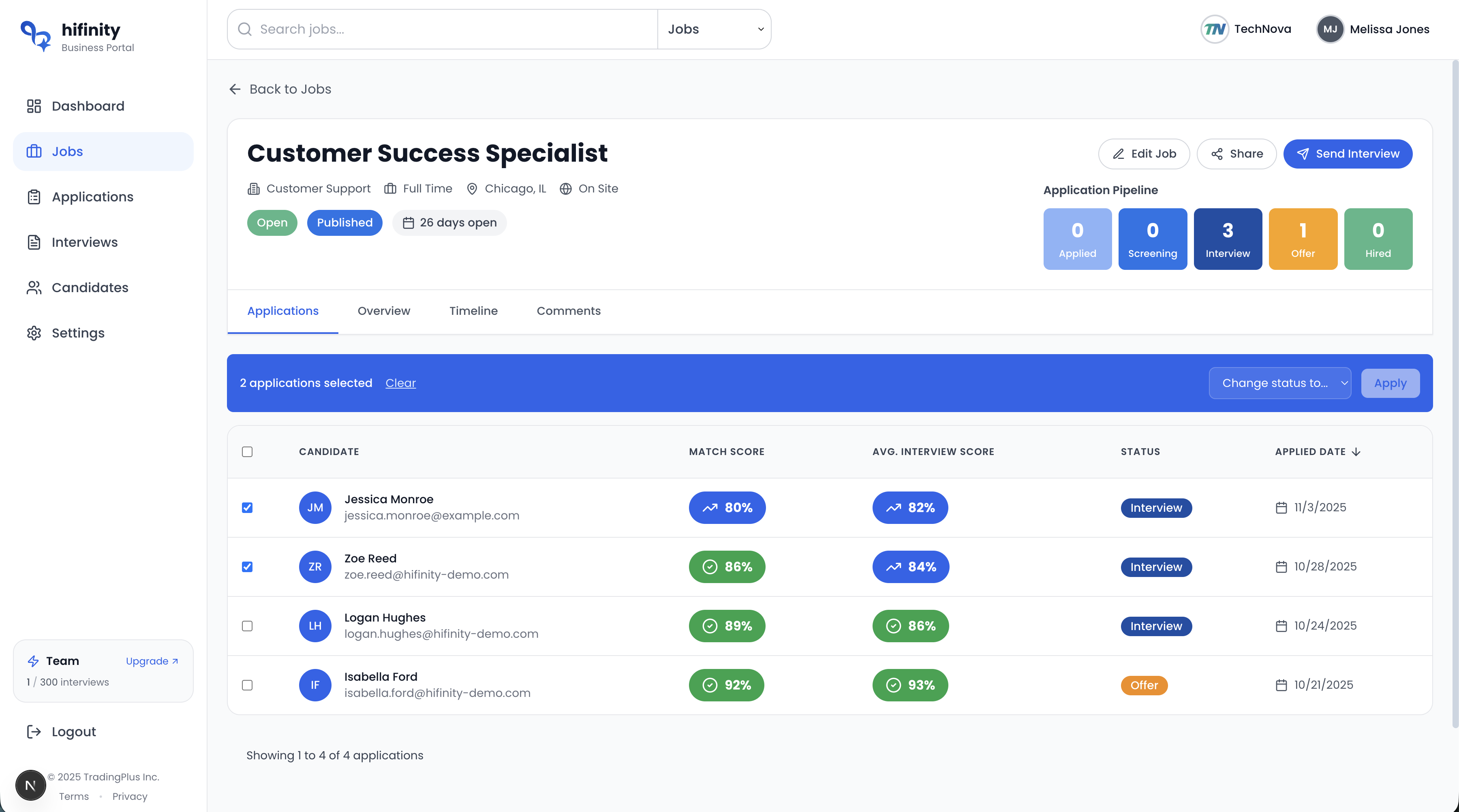
Bulk Actions
Process multiple applications at once to save time:
- Select multiple candidates and move them to the same stage
- Send interview invitations to qualified applicants in batch
- Bulk reject candidates who don't meet requirements
- Add tags to categorize candidates
Filters and Search
Find candidates quickly using advanced filters:
By Status
Filter by pipeline stage
By Score
View top-rated candidates first
By Source
See where applications came from
By Date
Sort by application date
Team Collaboration
Work together with your hiring team:
Internal Notes
Add private notes visible only to your team. Tag colleagues with @mentions to notify them.
Scorecard Ratings
Rate candidates on key criteria and see aggregated scores from all reviewers.
Activity History
View complete timeline of all actions taken on each application.
Best Practices
- Review applications within 24-48 hours to maintain candidate interest
- Use rejection templates that are respectful and provide constructive feedback
- Set up email notifications for new applications to respond quickly
- Regularly update candidate statuses to keep your pipeline accurate
- Add detailed notes for future reference