
Creating Interview Templates
Interview templates are the core of Hifinity's AI-powered evaluation system. Learn how to create effective templates that automatically assess candidates with precision.
What are Interview Templates?
An interview template is a structured set of questions that candidates answer via video. Each template includes:
Custom Questions
Technical, behavioral, or mixed questions tailored to your role
AI Evaluation Criteria
Expected answer points that AI uses to score responses
Time Limits
Set thinking and recording time for each question
Difficulty Levels
Beginner, Intermediate, or Advanced assessments
How to Create a New Template
To create a new interview template, navigate to your job and click Edit Job. In the job settings, scroll down to the Interview Template section and click Create New Template.
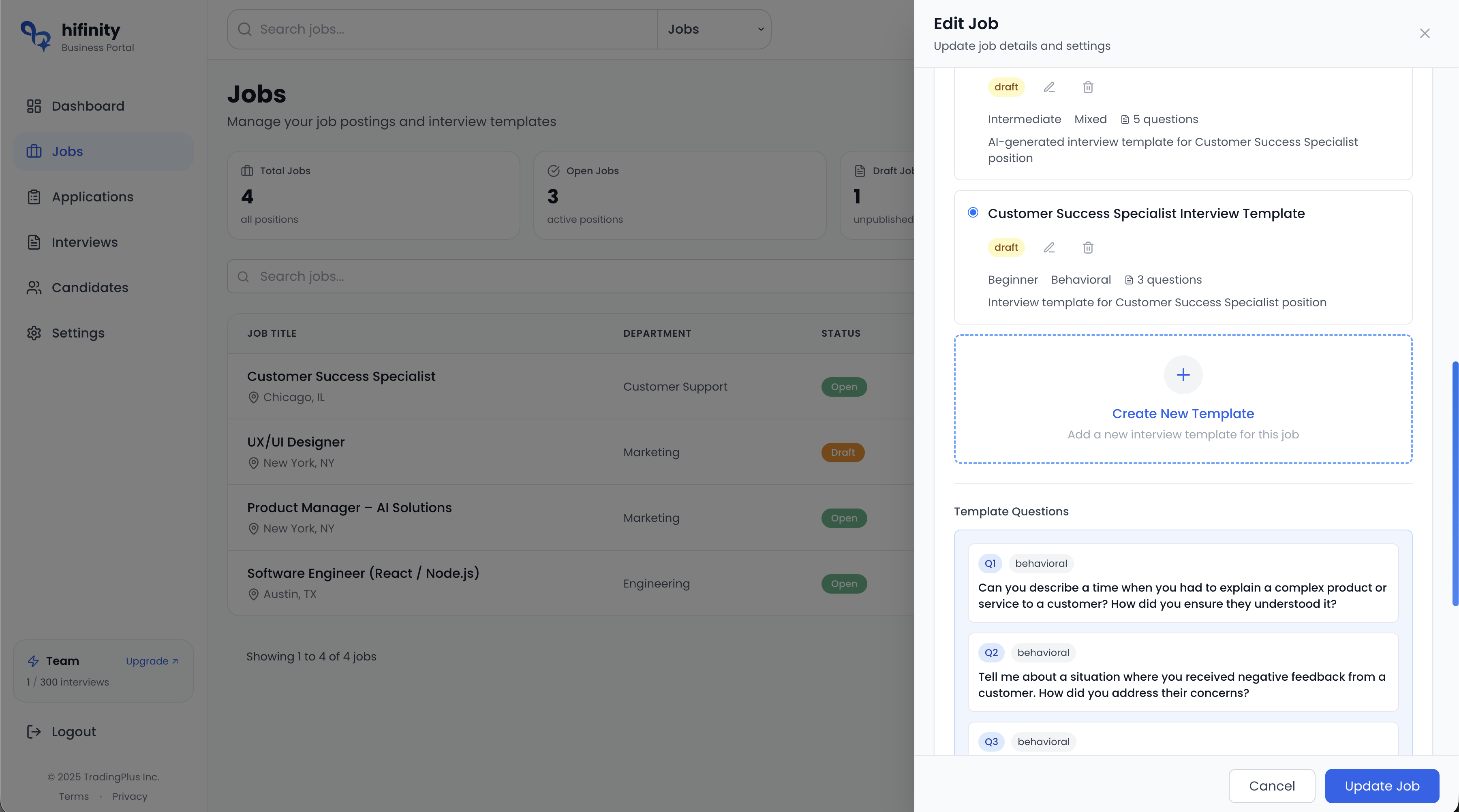
Two Ways to Create Templates
When creating a new template, you have two options to choose from:
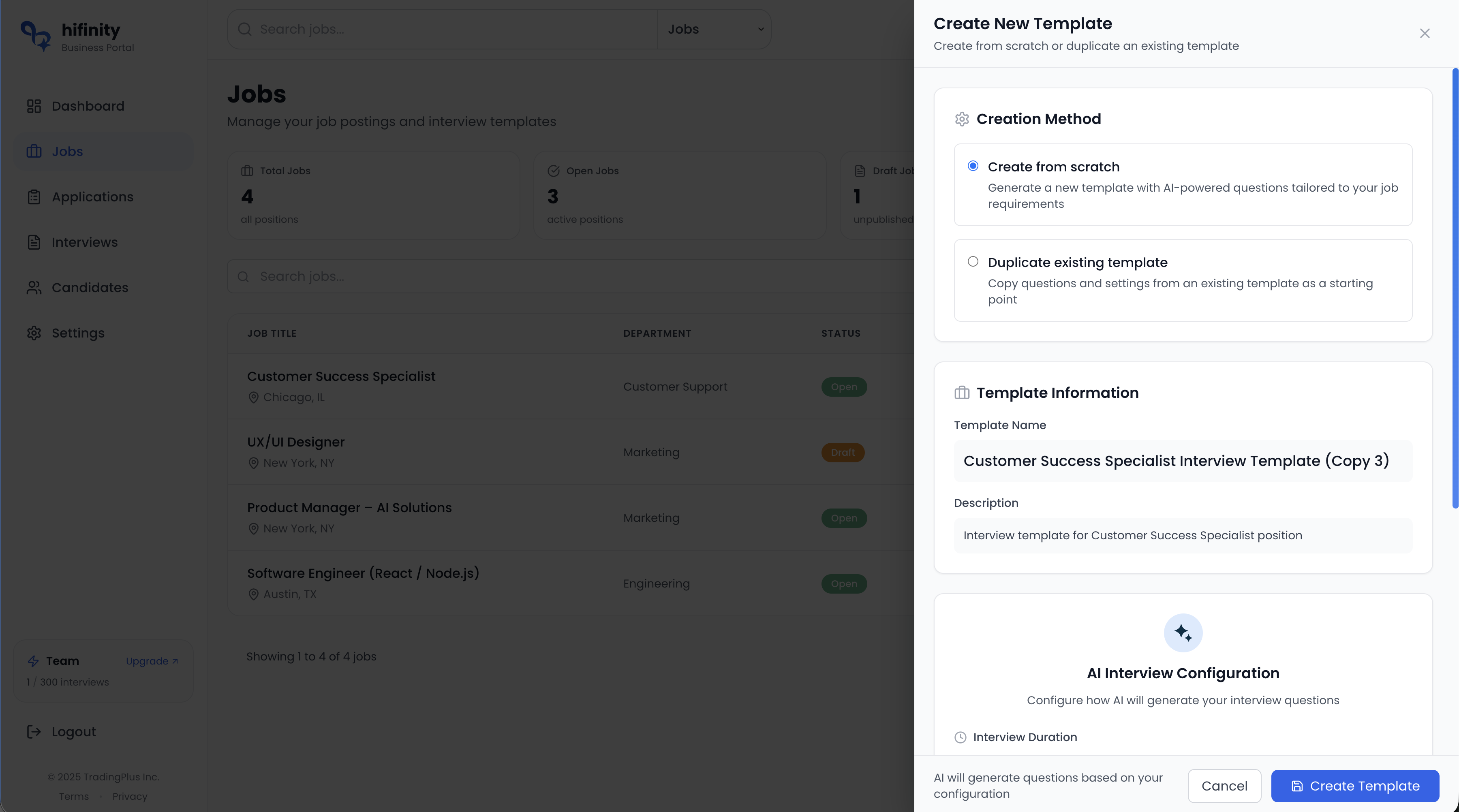
Option 1: Create from Scratch (AI-Generated)
Let our AI create a complete interview template based on your job description. This is the fastest way to get started and produces high-quality, role-specific questions.
How it works:
Configure Template Settings
Set difficulty level (Beginner/Intermediate/Advanced), focus area (Technical/Behavioral/Mixed), and interview duration
AI Analyzes Your Job
Our AI reads your job title, description, and requirements to understand what skills to evaluate
Generates Questions
Creates relevant questions with expected answer points for AI evaluation
Review and Customize
Edit questions, adjust difficulty, or add additional questions before publishing
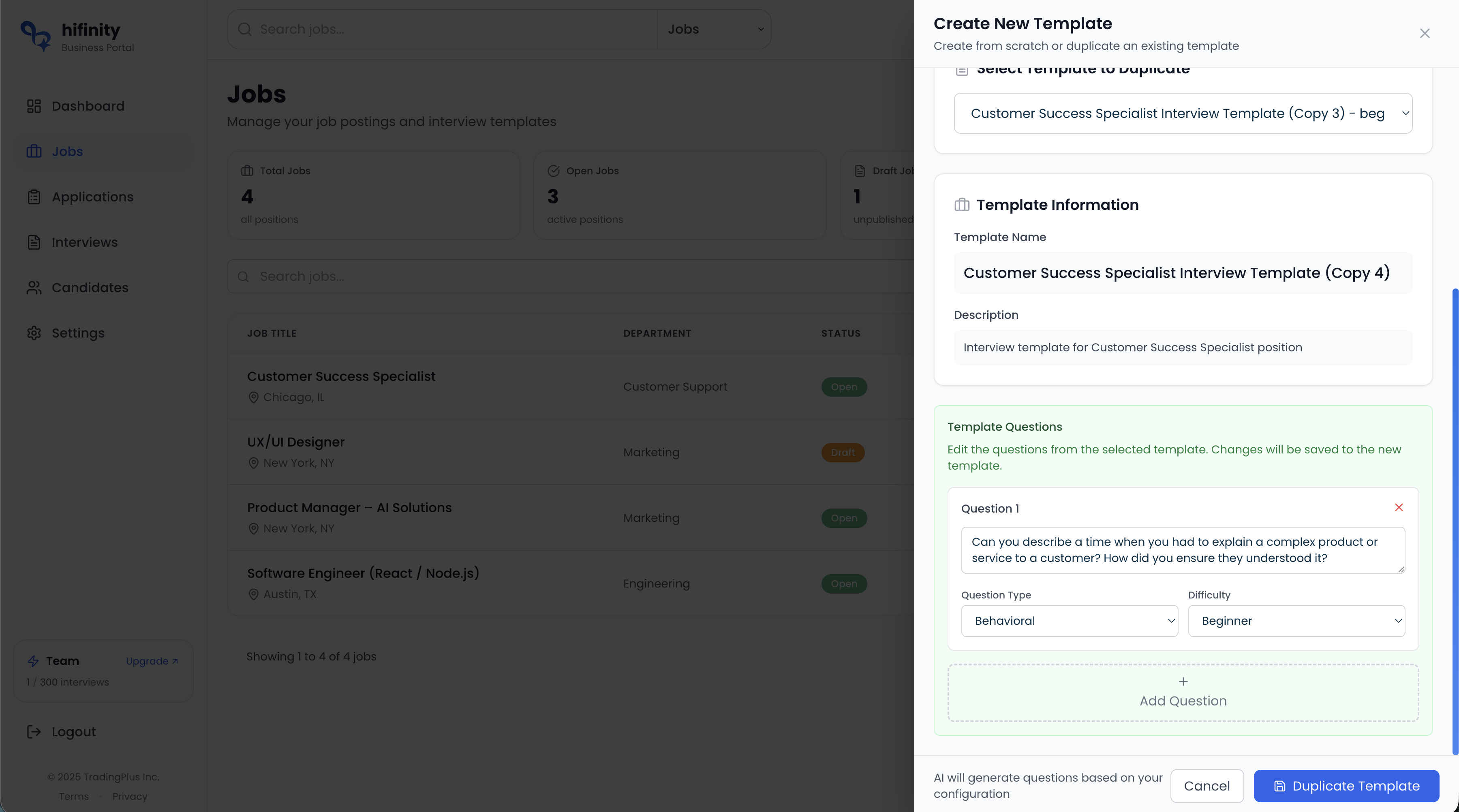
Option 2: Duplicate Existing Template
Start from an existing template and customize it manually. This is ideal when you want to reuse questions from previous interviews or build upon proven templates.
Template Configuration Options
Difficulty Level
Entry-level positions, internships, junior roles. Basic knowledge and fundamental skills.
Mid-level positions. Practical experience, problem-solving, and applied knowledge.
Senior/expert positions. Deep expertise, leadership, strategic thinking, complex scenarios.
Focus Area
Technical
Focuses on hard skills, technical knowledge, coding abilities, system design, or domain expertise
Behavioral
Evaluates soft skills, teamwork, communication, past experiences using the STAR method
Mixed
Combination of technical, behavioral, and situational questions for comprehensive evaluation
Interview Duration
Choose the total interview length based on the role complexity:
- •10-15 minutes: Quick screening, basic evaluation
- •15-20 minutes: Standard interview for most positions
- •20-30 minutes: Comprehensive assessment for mid-level roles
- •30-45 minutes: In-depth evaluation for senior/complex positions
Adding and Editing Questions
Each question in your template requires:
Question Text
The actual question candidates will see and answer. Make it clear, specific, and relevant to the role.
Question Type
Categorize as Technical, Behavioral, or Situational to help the AI understand evaluation context
Expected Answer Points
Key points or concepts you expect in a good answer. The AI uses these to evaluate candidate responses.
Example points:
• Demonstrates empathy and active listening
• Shows conflict resolution skills
• Focuses on finding productive solutions
• Maintains professionalism under pressure
Time Limits (Optional)
Set thinking time (preparation) and recording time (answer) for each question individually
Publishing Your Template
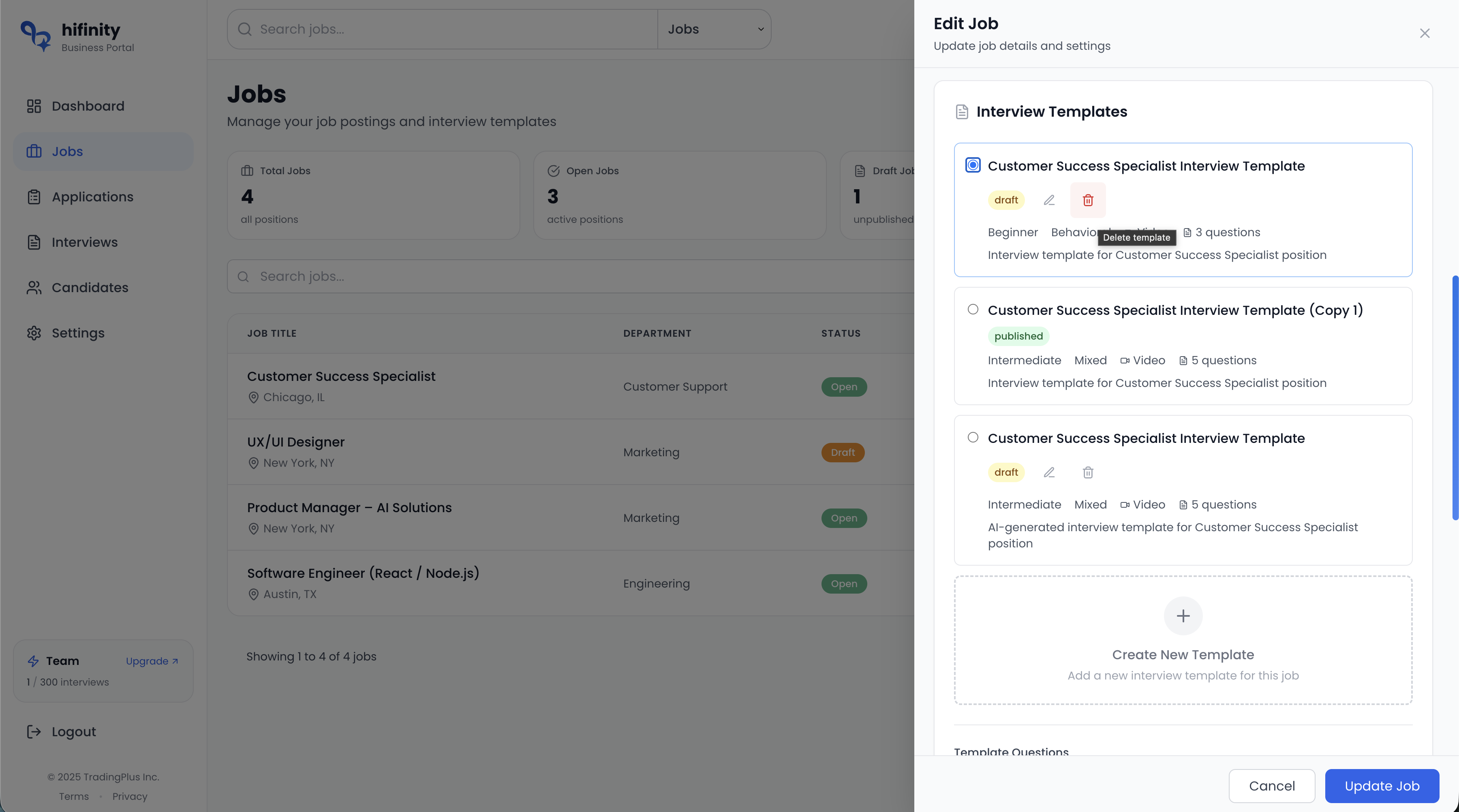
Templates have two states:
- •Can be edited or deleted freely
- •Not available for sending to candidates
- •Perfect for testing and refinement
- Ready to send to candidates
- Cannot be deleted (only archived)
- Maintains consistency across all interviews
Important
Once you publish a template and send interviews using it, the template cannot be deleted. This ensures consistency and prevents invalidating existing interview results. You can create new versions if needed.
Best Practices
Do's
- Keep questions clear, specific, and directly relevant to the job requirements
- Provide detailed expected answer points to help AI evaluate accurately
- Balance different question types (technical, behavioral, situational)
- Set realistic time limits - candidates need time to think and articulate answers
- Test your template by previewing it before sending to candidates
Don'ts
- Avoid vague or overly broad questions that don't have clear evaluation criteria
- Don't use discriminatory language or ask questions about protected characteristics
- Don't set unreasonably short time limits that cause unnecessary stress
- Avoid creating overly long interviews (+45 min) that lead to candidate fatigue