
Status Management
Learn how to effectively move candidates through your hiring pipeline, update application statuses, and maintain an organized recruitment process.
Overview
Status management is crucial for keeping your hiring process organized and ensuring no candidate falls through the cracks. Hifinity makes it easy to update statuses individually or in bulk, with full tracking of all changes.
Changing Application Status
There are multiple ways to update an application's status:
Method 1: From Application Detail Page
- 1.Open the application you want to update
- 2.Click the small edit icon next to the current status badge
- 3.Select the new status from the dropdown menu
- 4.Click the check icon to validate and save the status change
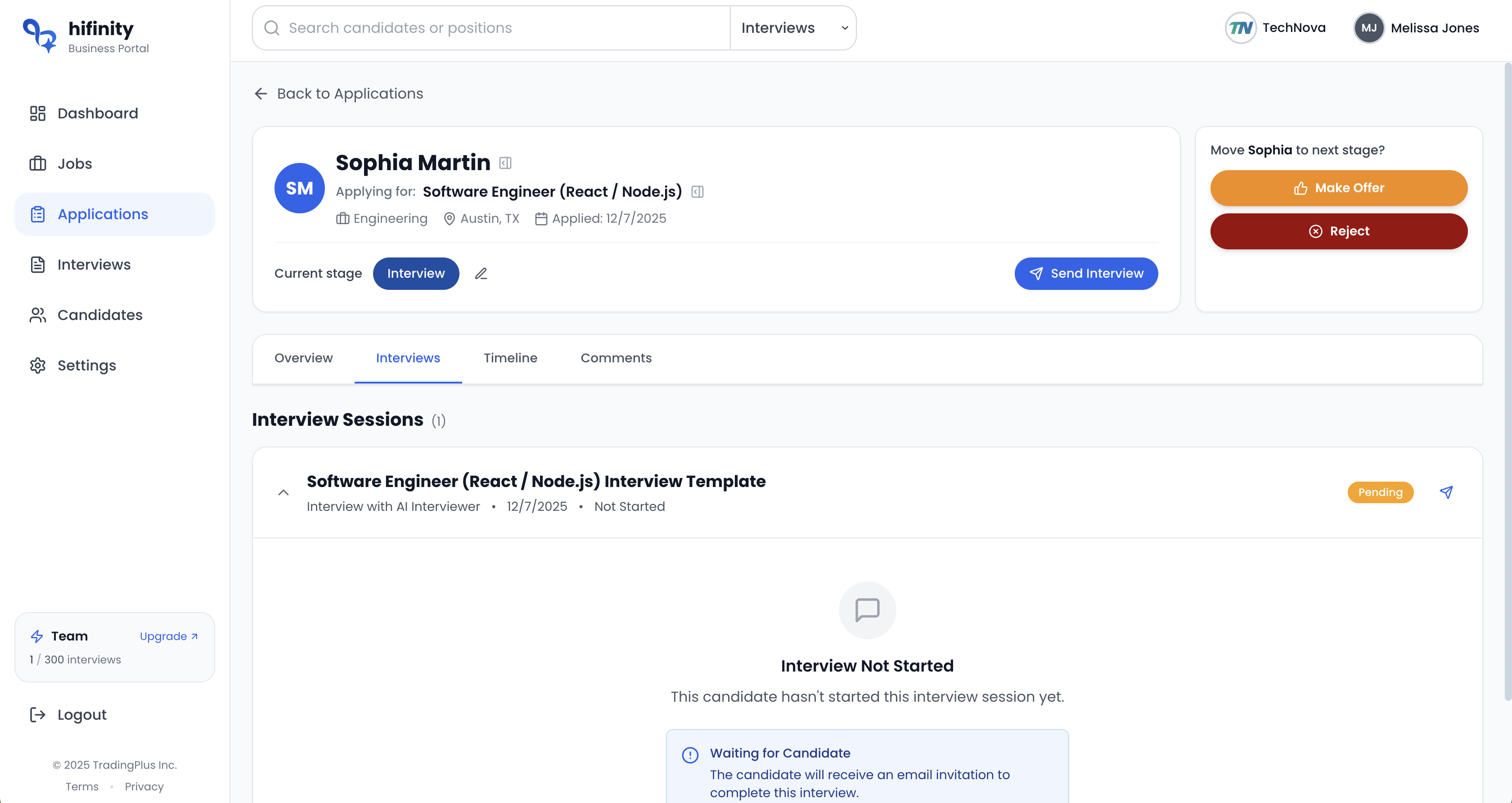
Method 2: Quick Actions from Application Header
From the application detail page, you can quickly advance or reject candidates using the action buttons in the header:
- 1.Open the application you want to update
- 2.Look at the right side of the application header
- 3.Click the next status button (based on Status Transitions) to advance the candidate, or click "Reject" to reject the application
Method 3: Bulk Status Updates
Update multiple applications at once from the Job page's Applications tab:
- 1.Go to a Job page and select the Applications tab
- 2.Select multiple applications using the checkboxes
- 3.Use the bulk action buttons that appear to change status for all selected applications
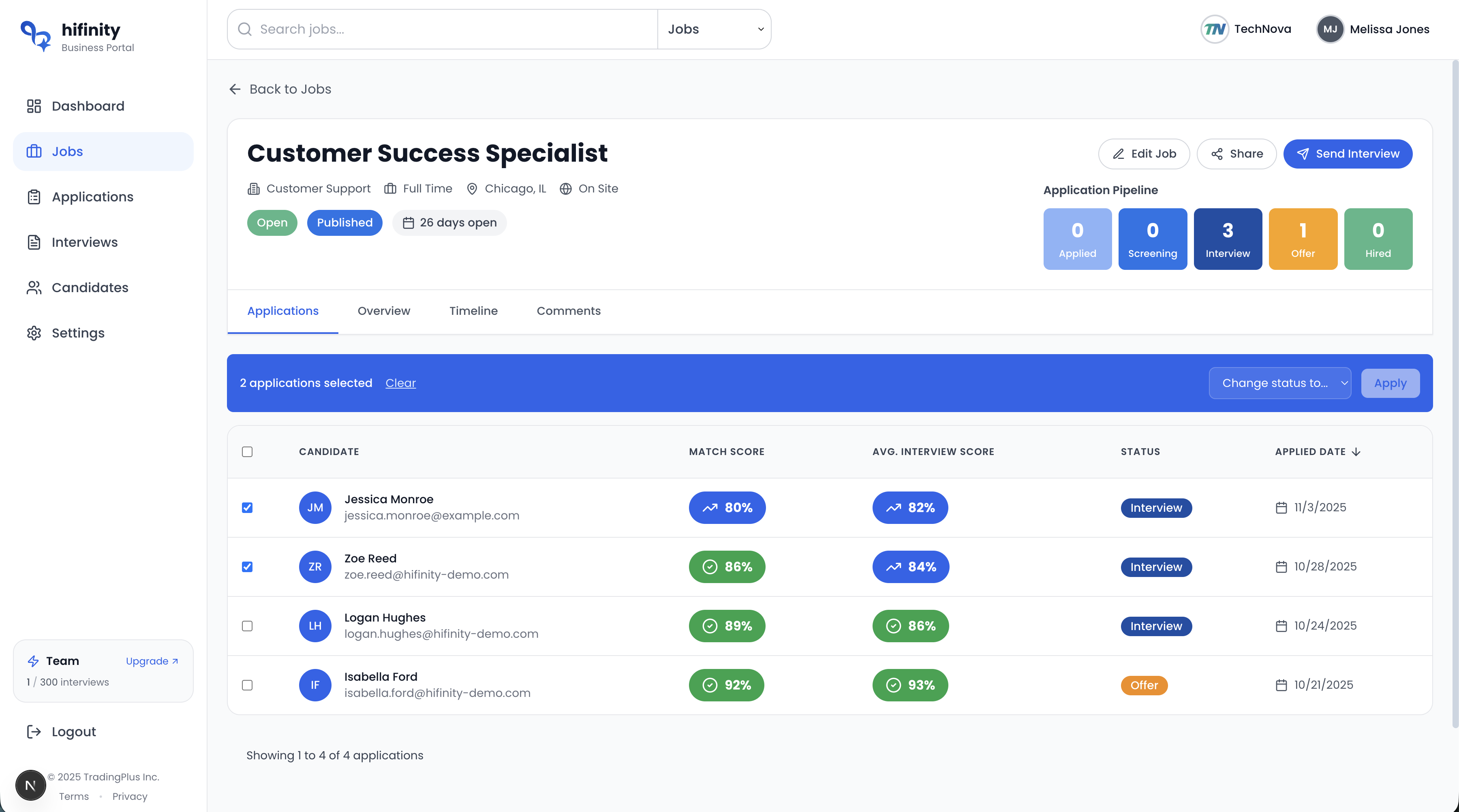
For more details on bulk actions, see Managing Applications.
Status Transitions
While you can move candidates to any status, here are the typical progression paths:
Standard Hiring Path
Rejection Path
Candidates can be rejected from any stage:
Withdrawal Path
When a candidate withdraws their application:
Flexibility
Hifinity allows you to move candidates backward in the pipeline if needed. For example, if an "Interview" stage candidate needs additional screening, you can move them back to "Screening".
Status Change History
Every status change is logged in the application's activity timeline:
What's Recorded
- Previous status and new status
- Date and time of the change
- Team member who made the change
Best Practices
Add Comments with Changes
Always include a brief comment explaining why you're changing the status. This helps team members understand decisions and maintains compliance records.
Update Promptly
Keep statuses current. Update as soon as a decision is made to ensure accurate reporting and pipeline visibility.
Notify Candidates
Consider sending candidates updates when their status changes significantly, especially for rejections or offers.